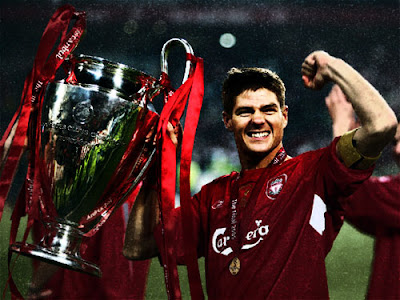
Hi there, our tutorial today is about how to turn a simple photo to a movie poster using photoshop like this photo:
Before:__________________________After:
Hi there, today our tutorial is the 300 movie effect and i think it's one of the best movie effect it make everything looks EPIC so this is our final result :
hi there,Our tutorials today is how to make a rainbow text with some grunge i think it was obvious from the title i would like to mention that we will use a spacial brushes (downloaded) so get ready!.
How to make a wonderful shiny rainbow wallpaper( Desktop background ) using photoshop,
This time i will not make the introduction long cause most of you don't read it ;) so let us start this is our final result:
This is a tutorial show you how to transform the normal photo of the actor into movie poster with pro effects that was used by the designer of the movie .
This is an effect that add a lot drama in the face and make it looks sad you can find Dramtic effect #1 herebut the main defrent thing betweet the two effect it that this one add more quality to the Photo and this is for faces but the other is for any kind of photo, befor we start this is the result :
The 300 movie have a special video quality gives him charming heroism effect that attracts the viewers, so do you want this effect on your photos ??!
this is the result :
Hi there today and yesterday i was working on the avatar effect and i put a lot of effort on it it's an effect that transform any normal face into an avatar character like this :
Yesterday i saw a tutorial shows you how to add an effect that makes the photo look like is has been token from a cinema movie but the tutorial was in Vietnamese language so i took the idea and i make this tutorial so i hope you like it and this is the effect
Hi everyone ,first I'm sorry for not posting from along time (school and exams ...ect) but the summer is came and my tutorials will never stop second this is an easy lessons teach how to turn any photo to nice wallpaper from this to this
The visual effect in photoshop are so many, but here i talk just about the important so let's star, this image is that we test those effect at it(don't ask me why i choose the lion:) :
in the finish of the lesson you will learn the most useful effect and you will be able to turn previous pic or any pic to